TallyPrime Customization Process: From Requirement to Support

A TallyPrime customization process is the path from a clear business need to a tested TDL change in your live company. People still search “tally erp 9 customization” for the same idea. The product name moved on; the need for a controlled process did not.
This page walks that process in plain steps. For industry examples of where custom work shows up, see custom Tally solutions across industries. For delivery stories, browse our Tally customization case studies.
Why customize TallyPrime
Standard TallyPrime already covers GST billing, inventory and books. Customization is for the gaps your team hits every week: an invoice field the print layout cannot show, a stock report that mixes Godowns the wrong way, an approval before a payment voucher posts, or an Excel import that rejects half the rows.
- Automate a repetitive voucher or allocation step
- Add fields or print layouts for invoices and delivery notes
- Build reports that match how you manage the business
- Tighten user rights beyond the default security levels
- Connect TallyPrime to another system when a file exchange is not enough
When the process is worth starting
Start a formal process when the same workaround appears every week, when more than one person depends on the change, or when a wrong entry would be costly to unwind. A one-off Excel fix can wait. A standing invoice rule should not live only in someone’s head.
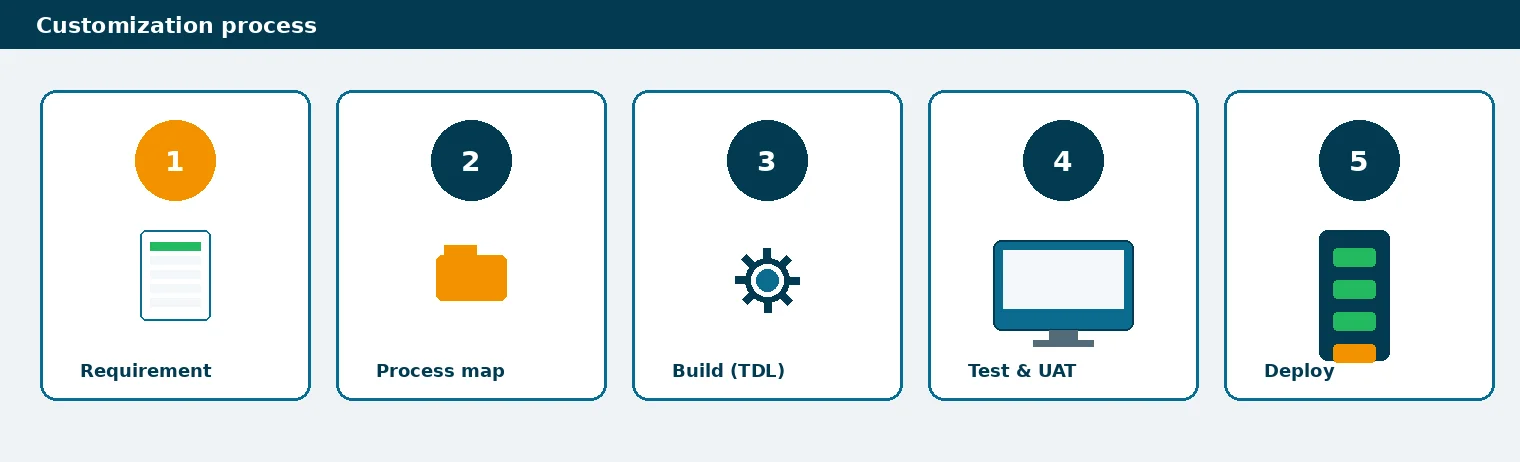
Customization process steps
TallyPrime customization process steps
| Step | What happens | You should see |
|---|---|---|
| 1. Requirement | List the pain, users, voucher types and reports | A short written brief, not only a phone call |
| 2. Process map | Map how data should move in TallyPrime | Agreed fields, validations and owners |
| 3. Build (TDL) | Develop the change in a copy company | A build you can click through |
| 4. Test / UAT | Accounts and ops try real sample data | A signed pass/fail list |
| 5. Deploy | Move to live with a rollback path | Live company updated; backup taken first |
| 6. Support | Fix edge cases in the first weeks | Named contact and change log |
Same sequence whether you still say Tally ERP 9 or TallyPrime.
Invoice layout work often sits inside the same process. If print format is the main need, also see invoice customization in TallyPrime.
What usually gets customized
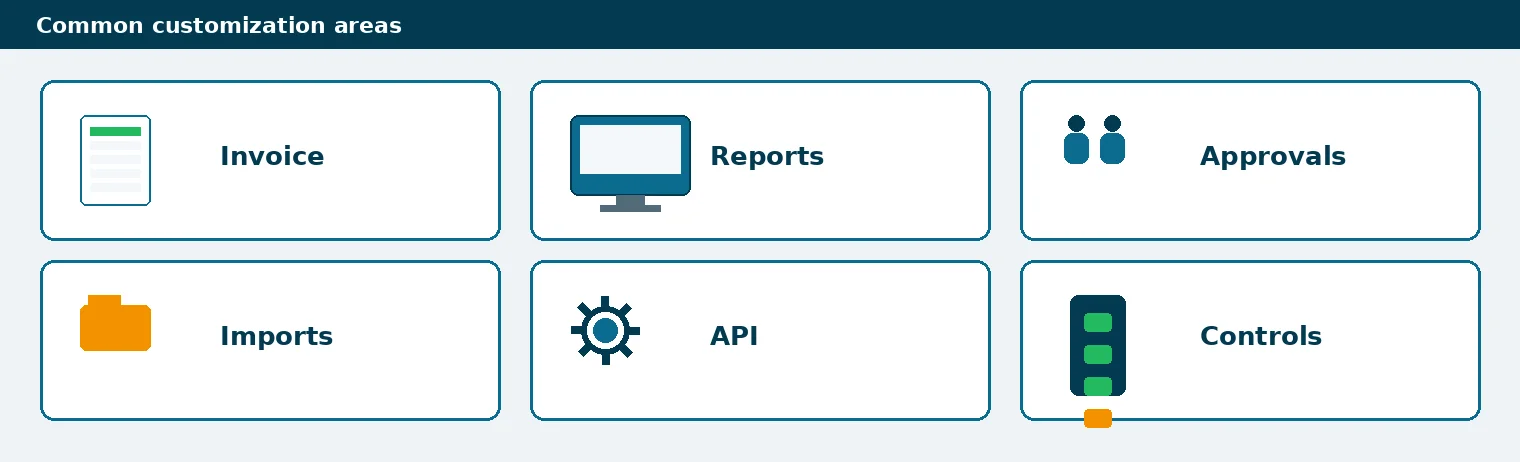
- Invoice and voucher fields, including print and PDF layout
- Stock, party and MIS reports
- Maker-checker or amount-based approvals
- Excel or API imports with validation
- Branch, Godown or cost-centre controls
Note on Tally ERP 9 searches
Search still shows “tally erp 9 customization” because many teams ran ERP 9 for years. New work should be scoped on TallyPrime. If you are migrating and customizing together, treat data migration and TDL as two workstreams with one go-live plan.
What you should hand over
- Sample vouchers and the report you want to match
- User roles and who may approve what
- A copy company or backup for development
- Acceptance examples: “pass if this invoice prints these fields”
Conclusion
A reliable TallyPrime customization process is brief → map → build → test → deploy → support. That order protects live books better than a quick TDL drop. If you need that path run for you, talk to us about TallyPrime customization or message us on WhatsApp.
FAQs on the TallyPrime Customization Process
1. What is the TallyPrime customization process?
A controlled path from a written requirement through process mapping, TDL build, user testing, deployment and short post-go-live support.
2. Is this the same as Tally ERP 9 customization?
The search phrase is older. The steps are the same idea on TallyPrime: scope the change, build in a copy, test, then deploy.
3. How long does customization take?
It depends on scope. A print-field change is shorter than a multi-voucher approval flow. The brief and UAT list drive the calendar.
4. Do I need TDL for every change?
No. Some needs are configuration or training. TDL is for behaviour or layouts the product does not offer out of the box.
5. What should I prepare before the first call?
Pain statement, sample vouchers or reports, user roles, and whether you have a copy company for testing.
Continue Reading
Get a personal consultation.
Call us today at +919211044269
Want our TallyPrime tips in Google first? Add us as a preferred source.