TallyPrime continuity and access risk
The biggest risk is not only losing Tally data. It is being unable to access it when the business needs it.
For many SMEs, TallyPrime contains years of accounts, GST records, inventory, customer balances, supplier details, and management reports. Keeping that access dependent on one office computer can quietly become a serious business continuity risk.
Quick Answer: Why Is Keeping Tally on One Computer Risky?
Keeping TallyPrime on a single office computer is risky because one machine can become the single point of failure for access, backups, reporting, GST work, inventory review, audits, and business decisions. Even if the data exists, the business can still suffer if the system is unavailable, damaged, locked, infected, or dependent on one person.
The solution is not always cloud for every business. The first step is to review access, backup, restore, user roles, remote work, and continuity needs honestly.
For many SMEs, Tally is one of the most important systems in the business. It contains financial history, customer balances, supplier details, inventory data, GST records, and the reports owners rely on every day.
Yet many businesses still run their entire Tally setup from a single office computer.
It feels simple and economical, until the business needs access and that one computer is unavailable.
The Real Risks of a Single-Computer Tally Setup
| Risk | What can happen | Business impact |
|---|---|---|
| Hardware failure | The office computer or hard disk fails unexpectedly. | Accounting work, billing, reports, and GST activity can stop. |
| Manual backup gap | The latest backup is missing, old, or stored on the same system. | Recent transactions may be difficult or impossible to recover quickly. |
| Access dependency | Only one person or one computer can access current Tally data. | Owners, CAs, branches, and managers wait for information. |
| Office disruption | The office is closed, inaccessible, or affected by power/network issues. | Business decisions and accounting work are delayed. |
| Security incident | The machine is infected, misused, or accessed by the wrong person. | Financial data and business continuity are exposed. |
The Bigger Risk Is Access, Not Only Data Loss
When business owners think about technology risks, they usually think about data loss. “What if we lose our backup?” is a valid question.
But there is another risk: what if the data still exists, but the business cannot access it when it matters?
- An owner needs an urgent report while travelling.
- A CA requests data when the accountant is unavailable.
- A branch needs inventory information sitting on a desktop in another city.
- A billing team cannot work because the local system is down.
- GST filing is delayed because the latest data is not reachable.
Plain truth: A backup helps after something goes wrong. Access planning helps the business keep working while problems are being solved.
What happens if your main Tally computer is unavailable tomorrow?
Review whether your current setup can support owners, accountants, CAs, and branches without depending on one machine.
Why Single-Computer Tally Setups Become Riskier as Businesses Grow
A traditional Tally setup can work well when the business is small: one office, one accountant, limited users, and occasional reporting.
But as the business grows, the same setup starts carrying more pressure. More users need reports. More branches need data. More GST and compliance work depends on timely access. More decisions depend on current numbers.
The setup that was once simple becomes a bottleneck.
Backup Is Necessary, but Backup Alone Is Not Enough
Backups are essential. But backups do not automatically solve access, downtime, or continuity.
| Question | Why it matters | What to verify |
|---|---|---|
| How often is Tally data backed up? | Old backups can leave recent work exposed. | Backup frequency and responsibility. |
| Where is the backup stored? | Same-machine backups can fail with the computer. | Separate, secure backup location. |
| Has restore been tested? | Untested backups may not work when needed. | Periodic restore validation. |
| Who can access data during downtime? | Backup does not equal instant working access. | Continuity and remote access plan. |
A Single Computer Can Become a Single Point of Failure
One of the most overlooked risks in growing businesses is creating a single point of failure. Sometimes it is a person. Sometimes it is a process. Sometimes it is a computer.
Why More SMEs Are Rethinking Tally Infrastructure
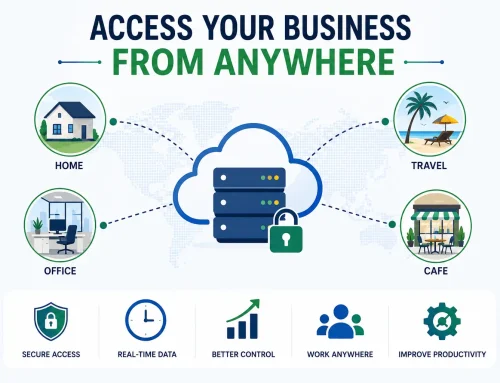
Many SMEs are moving beyond traditional single-computer setups because they want resilience. They want TallyPrime to remain accessible when owners travel, branches grow, CAs need review, or office systems fail.
Managed Tally Cloud can help reduce dependency on one local machine by planning remote access, user permissions, backups, migration, and support scope.
For heavier multi-user environments, Tally Server may also be worth reviewing when speed, concurrency, or data control is the main concern.
Need Tally access, backup, and restore planning in one setup?
Review cloud access, user roles, backup retention, TDL compatibility, printing, and support before your single computer becomes a real bottleneck.
Questions Every Business Owner Should Ask
- Access: If the office computer is unavailable tomorrow, who can still access TallyPrime?
- Backup: Where is the latest backup stored, and when was restore last tested?
- Users: Do owners, CAs, branch teams, or remote users need access?
- Downtime: How long can billing, GST work, reporting, or collections wait?
- Security: Who has access to the machine and Tally data?
- Growth: Will this setup still work when transaction volume or branches increase?
Should You Choose Desktop, Cloud, or Tally Server?
| Setup | Best fit | Watch out for |
|---|---|---|
| Single office desktop | Very small team, one location, limited access needs. | Backup discipline, access dependency, and hardware failure. |
| Tally Cloud | Owners, branches, CAs, or remote users need secure access. | Plan user roles, backups, migration, support, TDLs, and printing. |
| Tally Server | Many users work heavily on the same Tally data and performance matters. | Useful when speed and control are bottlenecks, not just remote access. |
| Cloud plus custom reports | Management needs remote access and better decision visibility. | Plan dashboards and reports around owner questions. |
Want to check whether your Tally setup has a single point of failure?
Share your current setup, users, backup process, remote access needs, branches, and data size. We can help you review whether desktop, Tally Cloud, Tally Server, or a hybrid setup is safer.
Related Guides and Services
SecurityIs Tally Cloud safe?Review access, permissions, backups, restore planning, and continuity.
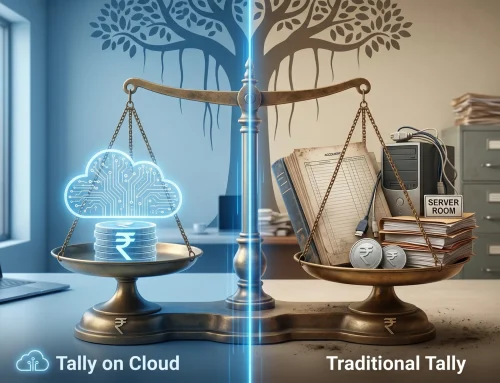
CostTally Cloud vs traditional TallyCompare visible and hidden costs before choosing your setup.
PerformanceTally Server servicesReview Tally Server if many users need faster, more controlled access.
Final Thoughts
Keeping Tally on a single office computer may seem simple and economical. For a small business, it may be enough for a while.
But as operations grow, the risks grow too. The real issue is not where Tally is installed. The real issue is whether the business can safely access, protect, restore, and use its accounting data when it matters.
Depending on one computer for that access may be a much bigger risk than most businesses realize.
Single Office Tally Computer FAQs
Is it risky to keep Tally on one office computer?
It can be risky when the business depends on that one computer for access, backups, reports, GST work, inventory review, and continuity.
Is backup enough to protect Tally data?
Backup is necessary, but it is not enough by itself. Businesses should also plan restore, access during downtime, user permissions, and continuity.
What happens if the Tally computer fails?
Billing, reports, GST work, collections, and management decisions may be delayed until data is restored or access is recovered.
Can Tally Cloud reduce single-computer dependency?
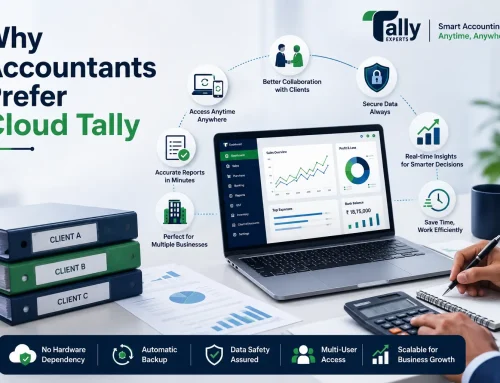
Yes. Tally Cloud can reduce dependency on one local machine when remote access, backups, migration, user roles, and support are planned properly.
When should a business consider Tally Server instead?
Tally Server is worth reviewing when many users work heavily on Tally data and speed, concurrency, or data control becomes a bottleneck.
What should I check before changing my Tally setup?
Review users, remote access, backup frequency, restore testing, data size, TDLs, printing, support scope, and business continuity requirements.