Tally Payment Gateway Integration: Payment Links, QR Codes and Reconciliation in TallyPrime
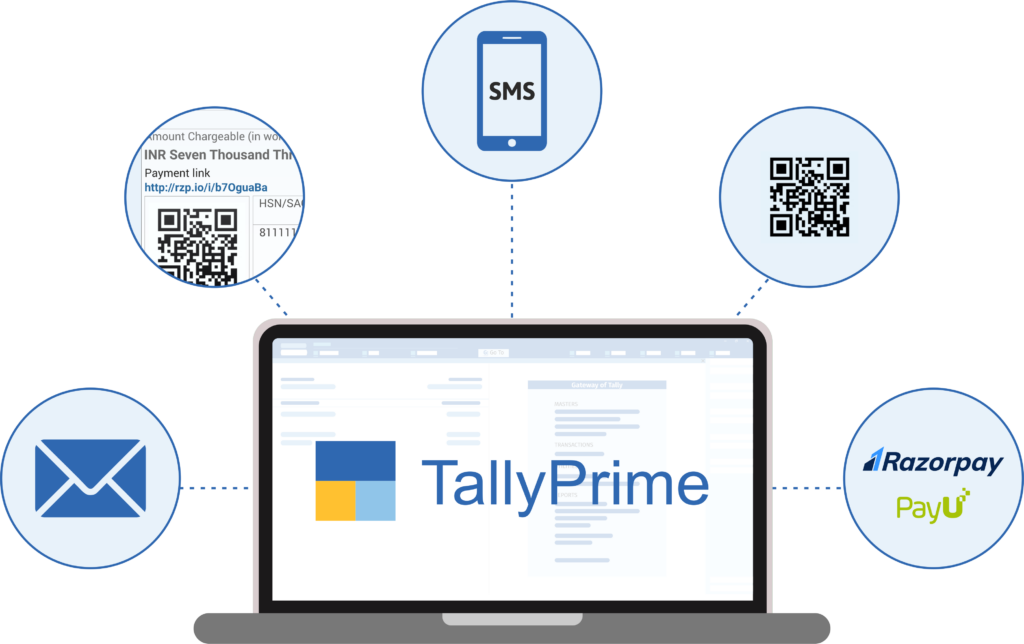
Most businesses do not lose money because customers refuse to pay. They lose time. An invoice goes out, the customer asks for bank details, someone types the amount wrong, and the payment arrives a week later with a reference nobody can match.
TallyPrime has a built-in way to cut that out. From Release 3.0, the Payment Request feature can put a payment link and QR code on your invoices through a supported payment gateway or UPI. This guide covers how the Tally payment gateway setup works, how to reconcile what comes in, and when you need more than the standard feature.
What Tally payment gateway integration means
People use "Tally payment gateway" to mean two different things:
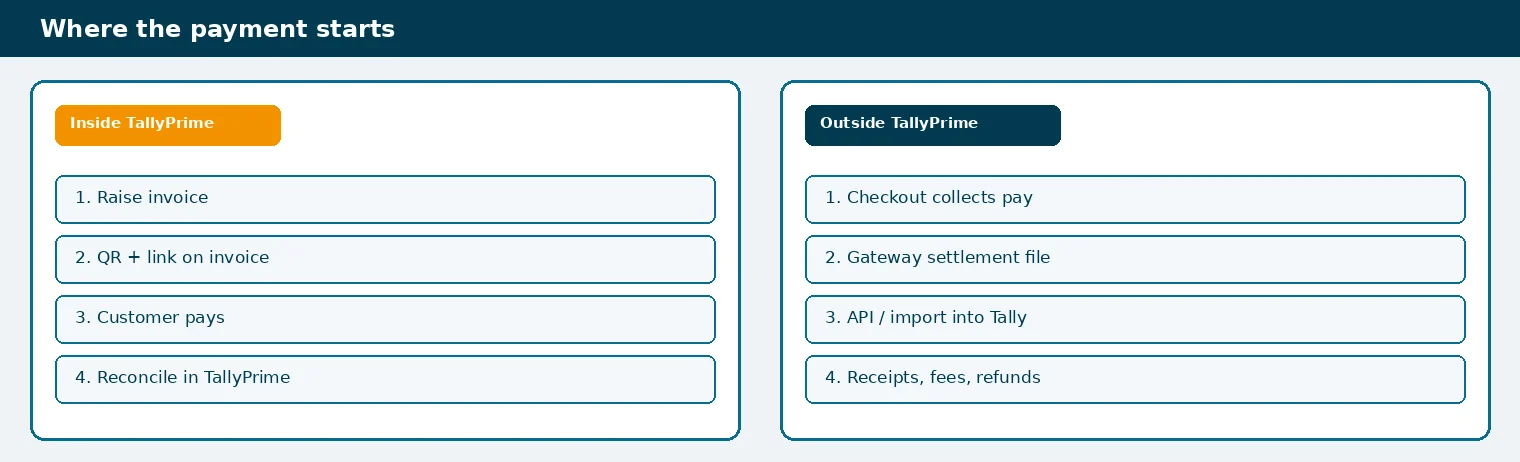
- The built-in Payment Request feature. TallyPrime generates a payment link or QR code for an invoice. The customer pays through the gateway or UPI, and you reconcile the payment in TallyPrime.
- A custom integration. Payments collected somewhere else, such as your website, app or online store, are pulled into TallyPrime as receipts. Gateway fees and refunds can come in as entries too.
Most small and mid-sized businesses should start with the first. The second only makes sense when payments happen outside TallyPrime.
How Payment Request works
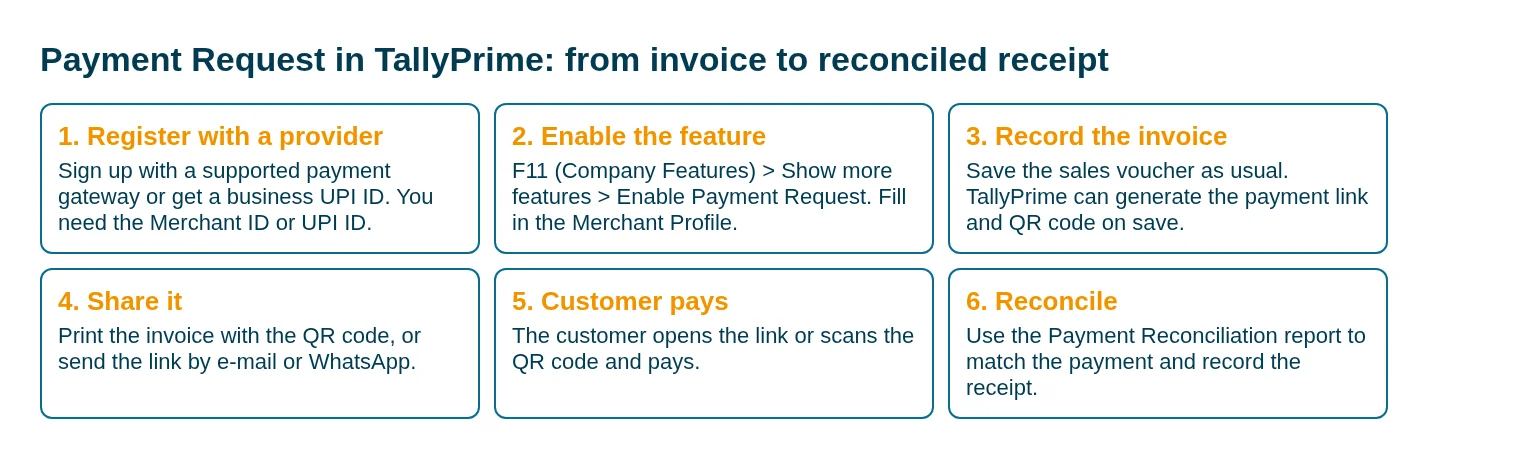
You record the sales invoice the way you always do. If the voucher type is set to generate a payment link after saving, TallyPrime creates the link and QR code when you save. You can also generate links later, one invoice at a time or in bulk. Links work only for regular vouchers, not optional ones.
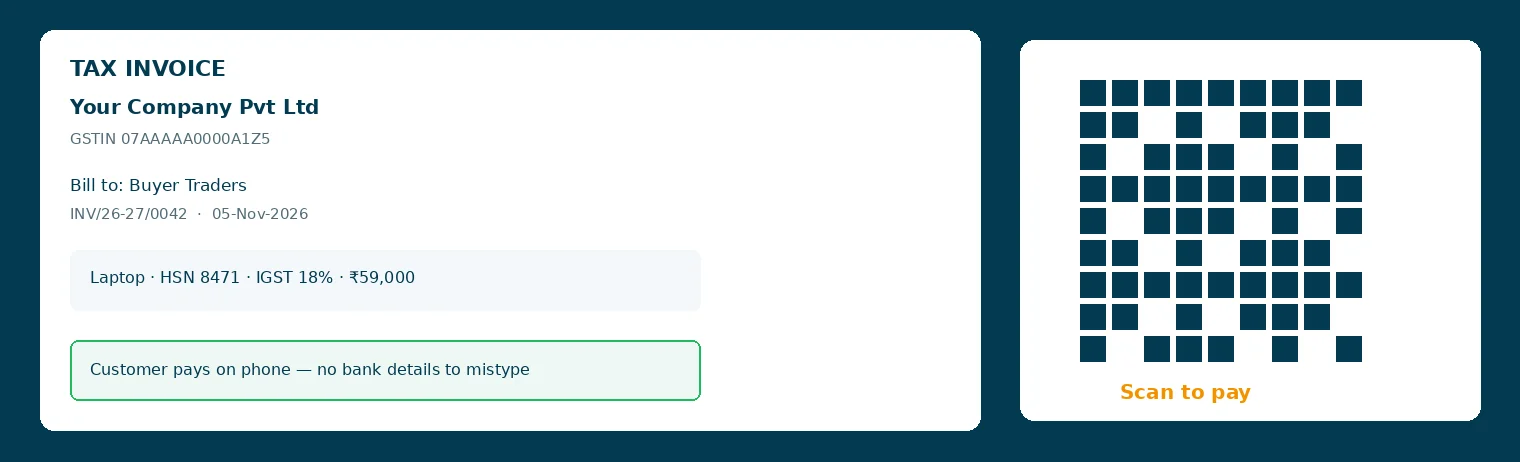
The QR code prints on the invoice. The link can go out by e-mail or message. The customer pays on their phone without typing your account number, which removes the most common reason for wrong or short payments.
How to set it up
- Register as a merchant with a supported payment gateway, or get a UPI ID from your bank or UPI provider. TallyPrime's help pages list PayU and Razorpay as the supported gateways. Check the current list before you sign up.
- In TallyPrime, press F11 (Company Features) > Show more features, and set Enable Payment Request to share payment link/QR code to Yes.
- Fill in the Merchant Profile: the Merchant ID and registered e-mail or mobile for a gateway, or the UPI ID for UPI.
- In the sales voucher type, turn on the option to generate a payment link or QR code after saving if you want it on every invoice.
- Raise a test invoice for a small amount, pay it yourself, and check that it shows in the reconciliation report.
Payment Request works for businesses in India only. You need a TallyPrime release that includes it (3.0 or later). Release 4.0 added partial UPI payments and the option to generate the link before printing.
Payment gateway or UPI
Payment gateway or UPI: which route to set up
| Point | Payment gateway route | UPI route |
|---|---|---|
| What you need | Merchant ID and the registered e-mail or mobile number | UPI ID registered with your UPI provider |
| How customers pay | Cards, net banking, UPI, wallets (depends on your gateway plan) | UPI apps |
| Fees | Set by your gateway agreement | Check with your bank or UPI provider |
| Good for | Larger B2B invoices and customers who pay by card or net banking | Smaller invoices and walk-in or retail customers |
| Settlement | Gateway settles to your bank on its own schedule | Lands in the linked bank account |
Check current charges, limits and settlement terms with your provider before you choose.
A gateway gives customers more ways to pay, which matters for larger B2B invoices where the buyer's accounts team pays by net banking or card. UPI is simpler and suits smaller amounts. TallyPrime lets you keep more than one Merchant Profile and pick one when you generate the link.
Reconciling payments
This is where most of the time saving is. TallyPrime's Payment Reconciliation report lists payment requests as reconciled or unreconciled. You match what the gateway or UPI provider reports against your invoices and record the receipts.
Two things still need a person:
- Gateway charges. The gateway usually settles the amount less its fee and GST on the fee. Someone has to book that difference to a charges ledger, or the customer will show a small balance.
- Bank settlement. The gateway sends money to your bank in batches. The receipt in TallyPrime and the bank credit will not always be one-to-one, so bank reconciliation still needs a look.
Where the built-in feature stops
When the built-in feature is enough, and when it is not
| Situation | Built-in Payment Request | Custom integration |
|---|---|---|
| One company, invoices raised in TallyPrime | Usually enough | Not needed |
| Payments collected on your website or app | Does not cover it | Pull gateway settlements into TallyPrime as receipts |
| High volume, many partial payments | Works, but reconciliation takes time | Auto-match settlements and fees to invoices |
| Gateway charges and refunds to account for | Record them yourself | Post fee and refund entries automatically |
| Several companies or branches | One Merchant Profile setup per company | Central rules across companies |
Payment Request is built around invoices raised in TallyPrime. It does not know about payments your customers make on your website checkout, in a mobile app, or on a marketplace. Those come in through the gateway's own dashboard, and somebody exports them and enters them by hand.
When custom integration makes sense
A custom integration reads settlement data from the gateway (through its API or a settlement file) and posts it into TallyPrime. A typical setup does this:
- Creates receipt entries against the right customer or a website-sales ledger.
- Posts gateway fees and GST on fees to the correct ledgers.
- Handles refunds and chargebacks as separate entries.
- Flags payments it cannot match, instead of guessing.
We connect TallyPrime with business software such as web stores, CRMs and billing apps. For the bigger picture, read Tally Integration with Web Applications. For other systems people commonly connect, see Top 10 Applications You Can Integrate with Tally Using APIs.
The cost of a custom integration depends on how many payment sources you have, how the data needs to be mapped, and how many exceptions (refunds, partial payments, fees) have to be handled. We scope it after looking at a sample of your settlement data.
Before you go live
- Merchant account approved and Merchant ID received.
- Charges and settlement cycle agreed with the provider.
- A ledger for gateway charges, and GST on charges set up.
- Test payment made and reconciled end to end.
- One person named to run the reconciliation report every week.
- Customers told that the invoice now carries a QR code and link.
Conclusion
If you raise invoices in TallyPrime 3.0 or later, set up Payment Request before you look at anything custom. Put the QR code on the invoice, reconcile weekly, and book gateway charges properly. If customers also pay through your website or app, that is where an integration pays for itself.
Want help working out which you need? Talk to us about Tally payment integration or message us on WhatsApp.
FAQs on Tally Payment Gateway Integration
1. Does TallyPrime have payment gateway integration?
Yes. From Release 3.0, the Payment Request feature generates payment links and QR codes through supported payment gateways or UPI, and has a Payment Reconciliation report.
2. Which payment gateways work with TallyPrime?
TallyPrime help pages list PayU and Razorpay for the gateway route, plus UPI. Check the current list in TallyPrime help before you register.
3. How do I enable payment links in TallyPrime?
Press F11 (Company Features) > Show more features, set Enable Payment Request to Yes, and fill in your Merchant Profile with the Merchant ID or UPI ID.
4. Can I use Payment Request outside India?
No. Payment Request is currently supported only for businesses in India.
5. Can website or app payments come into Tally automatically?
Not through Payment Request. That needs a custom integration that reads gateway settlement data and posts receipts, fees and refunds into TallyPrime.
Continue Reading
Get a personal consultation.
Call us today at +919211044269
Want our TallyPrime tips in Google first? Add us as a preferred source.