SME Tally cost comparison
Traditional Tally often looks cheaper until you price the full working setup.
Tally on Cloud vs traditional Tally should be compared using visible and hidden costs: hardware, remote access, backups, IT support, downtime, productivity, branch access, security, and owner visibility.
Quick Answer: Is Tally on Cloud Costlier Than Traditional Tally?
Tally on Cloud usually has a visible monthly hosting cost, while traditional Tally may look cheaper because many costs are hidden across hardware, backup, IT support, remote access, downtime, and manual coordination. For a small single-office team, traditional Tally may still be practical. For SMEs with remote users, branches, travelling owners, backup concerns, or multi-user access needs, Tally on Cloud can offer better working value.
The real comparison is not only “monthly cloud fee versus no cloud fee.” It is whether your current setup gives reliable access, backups, speed, support, and business continuity.
For many Indian SMEs, Tally is more than accounting software. It is the backbone of invoicing, inventory, GST compliance, receivables, financial reporting, and business decisions.
As the business grows, one question appears again and again: should we continue using traditional Tally on a local system, or move to Tally on Cloud?
The decision is often viewed as a cost comparison. Traditional Tally appears cheaper, while cloud hosting introduces a recurring monthly expense. But visible cost is only one part of the story.
Understanding the Traditional Tally Setup
In a traditional setup, TallyPrime is installed on a desktop, local server, or office network. Users access the data from systems where Tally is installed or through the local network.
This can work well when the business has one office, limited users, and disciplined backups. The problems usually appear when the team needs access beyond the office or when the local system becomes a single point of failure.
- Limited access when owners, CAs, or branch teams work remotely.
- Manual backup responsibility.
- Hardware maintenance and local IT dependency.
- Downtime risk if the office system or network fails.
- Remote access software or informal workarounds.
Understanding Tally on Cloud
Tally on Cloud allows businesses to access TallyPrime data through managed cloud infrastructure instead of depending only on a local computer or office server.
Authorized users such as business owners, accountants, auditors, and branch teams can access the same Tally environment subject to permissions and security controls.
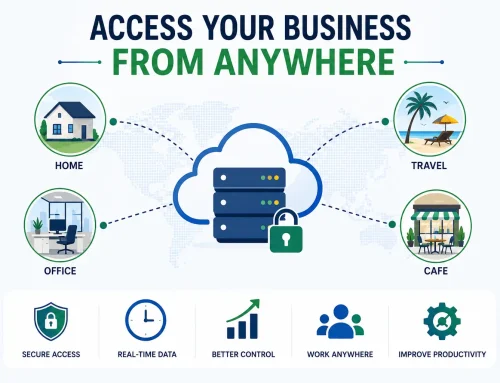
The advantage is not simply remote access. It is operational flexibility, backup planning, centralized access, and reduced dependency on one office machine.
Tally on Cloud vs Traditional Tally: Actual Cost Comparison
| Cost area | Traditional Tally | Tally on Cloud |
|---|---|---|
| Tally licence | Required separately. | Usually required separately unless included in a specific quote. |
| Hardware | Desktop, server, UPS, networking, and upgrades may be needed. | Cloud resources are planned as part of the hosting setup. |
| Remote access | May require VPN, remote desktop tools, or manual file sharing. | Remote access is part of the core setup when planned correctly. |
| Backups | Often manual or locally dependent. | Backup frequency, retention, and restore expectations can be included. |
| IT support | Local machine, network, printer, backup, and access issues may need separate support. | Support scope can be tied to the cloud access and migration plan. |
| Downtime risk | Office system failure can stop work. | Users can continue from approved locations if cloud access is available. |
| Scalability | More users and branches can increase local complexity. | Users and resources can be reviewed as the business grows. |
Comparing cloud cost with your current Tally setup?
Share your users, locations, current hardware, backup process, and support pain. We can help you compare the full working cost, not just the monthly fee.
Hidden Costs in Traditional Tally That SMEs Often Miss
Traditional Tally costs are often spread across different departments, so they do not always appear in one neat monthly bill. That makes the setup feel cheaper than it really is.
The Productivity Cost Is Often Bigger Than the Hosting Cost
Consider a business owner who needs an urgent report while travelling. In a traditional setup, the request may depend on office availability, system access, or someone physically present at the workplace.
In a cloud environment, the same report can often be accessed faster by an authorized user.
Over a year, the time saved through faster access, reduced dependency on specific people, and smoother collaboration can have a meaningful impact on operational efficiency.
| Situation | Traditional Tally impact | Tally on Cloud impact |
|---|---|---|
| Owner needs report after office hours | Wait for office system/user access. | Access can be available from approved location. |
| CA needs data review | Backup may need to be sent manually. | Controlled access can be provided when required. |
| Branch needs Tally access | Separate files or remote workaround may appear. | Branch users can work in a planned cloud environment. |
| Local system fails | Work may stop until repair or restore. | Continuity can be better if backups and cloud access are planned. |
What Tally on Cloud Cost Usually Includes
A cloud-based setup generally includes more than raw server space. A practical quote may include:
- Cloud hosting and server resources.
- User access setup.
- Backup planning and retention.
- Data migration and testing.
- Support scope for access and daily working issues.
- Compatibility review for TDLs, invoice formats, printing, and integrations.
For current user-wise slabs, review the Tally Prime Cloud price guide.
Need user-wise Tally Cloud pricing?
Compare the monthly slab by user count, then review backup, migration, TDLs, printing, and support before finalizing the plan.
Which Option Is Better for SMEs?
A traditional Tally setup may continue to work well if the business is simple and access is mostly office-based.
| Traditional Tally may work if | Tally on Cloud is worth reviewing if |
|---|---|
| One office handles all accounting work. | Owners, branches, CAs, or remote users need regular access. |
| Only a few users require access. | Multiple users need simultaneous access from different locations. |
| Remote access is rarely needed. | Reports are needed while travelling or outside office hours. |
| Backups are regular, tested, and stored safely. | Manual backups are missed or recovery is uncertain. |
| Local IT support is reliable. | Local machine, network, or downtime issues affect daily work. |
Questions to Ask Before Choosing
The real comparison should include broader business impact, not just subscription fees.
- Access: How often do owners, CAs, branches, or remote users need Tally access?
- Backups: How often are backups taken, and has restore been tested?
- Downtime: What happens if the office computer or local server fails?
- Support: Who handles system, network, backup, printer, and access problems?
- Productivity: How much time is lost waiting for reports or manual file sharing?
- Growth: Will the current setup support more users, branches, and reporting needs?
Want to compare your actual Tally cost, not a generic estimate?
Share your users, current setup, hardware, backup process, remote access needs, branches, TDLs, and support issues. We can help you compare traditional Tally, Tally Cloud, and Tally Server clearly.
Related Guides and Services
Tally CloudTally on Cloud servicesPlan secure remote access, backup, and migration for TallyPrime.
BackupTally Cloud server and backupReview backup retention, restore process, and server stability.
PerformanceTally Server servicesReview Tally Server if multi-user local performance is the main concern.
Final Thoughts
For SMEs evaluating Tally on Cloud versus traditional Tally, the decision should not be based only on hosting charges or infrastructure costs.
The more important question is how easily the business can access, manage, protect, and use its financial information as it grows.
Traditional Tally remains practical for many businesses. But for organizations seeking greater accessibility, backup reliability, multi-location access, and operational flexibility, Tally on Cloud can offer value beyond the cost of hosting.
Tally on Cloud vs Traditional Tally FAQs
Is Tally on Cloud more expensive than traditional Tally?
Tally on Cloud has a visible monthly cost, but traditional Tally can include hidden costs such as hardware, backups, remote access tools, IT support, downtime, and manual coordination.
Does Tally on Cloud include the Tally licence?
The Tally licence is usually separate unless a quote specifically says it is included. Cloud pricing normally covers hosting, access, backup, migration, and support scope.
When is traditional Tally still a good option?
Traditional Tally may work well for one-office businesses with limited users, rare remote access needs, disciplined backups, and reliable local IT support.
When should an SME move Tally to cloud?
Move to cloud when owners, CAs, branches, or remote users need regular access, or when backups, downtime, local systems, and file-sharing are creating operational friction.
Is Tally Cloud safe for accounting data?
Tally Cloud can be safe when user access, permissions, backups, restore planning, credentials, and support are managed properly.
How do I compare exact Tally Cloud cost?
Share user count, concurrent users, data size, branches, backup needs, TDLs, printing, migration, and support requirements for an accurate quote.