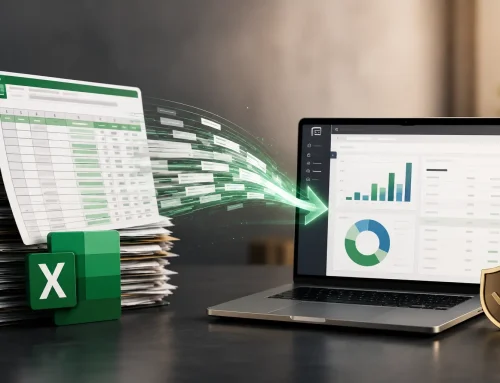
Excel accounting history migration
You may not need to start from scratch. But you should not move history blindly.
Three years of Excel accounting data can often be migrated into TallyPrime. The smarter decision is choosing what to move, what to summarize, what to archive, and what must be cleaned before the migration begins.
Quick Answer: Can Three Years of Excel Accounting Data Be Moved to Tally?
Yes, three years of Excel accounting data can usually be moved to TallyPrime when the data is structured, cleaned, mapped, imported, and reconciled properly. But moving everything is not always the best choice. Some businesses should migrate full history, while others should import masters, opening balances, and current-year transactions.
The goal is not to move the maximum amount of data. The goal is to make TallyPrime reliable for future accounting, GST, reporting, and decision-making.
One of the most common questions business owners ask is: “We have been managing accounts in Excel for the last three years. If we move to Tally now, do we have to start from scratch?”
It is a fair concern. Three years of accounting data is not just numbers in a spreadsheet. It includes customer balances, vendor records, sales history, purchase records, inventory movements, GST information, expenses, and financial reports.
The good news is that in many cases, the business does not have to abandon that history. The important part is planning the migration properly.
Why Businesses Stay on Excel Longer Than They Should
Excel works well in the early stages because it is flexible, familiar, and available almost everywhere. For a small team, a spreadsheet may feel faster than setting up a proper accounting system.
But as the business grows, Excel starts carrying responsibilities it was never designed to handle:
- One workbook becomes many workbooks.
- Different people maintain different versions.
- Files circulate through email, WhatsApp, and shared folders.
- Sales, purchases, inventory, GST, and receivables sit in separate places.
- Finding the correct number becomes harder than calculating it.
That is usually when business owners start exploring Excel to Tally migration.
Can Everything Be Moved from Excel to TallyPrime?
Most accounting information can be moved when the file structure is reviewed and prepared correctly. Businesses commonly migrate sales transactions, purchase records, customer ledgers, vendor ledgers, expense data, GST records, inventory masters, outstanding balances, and opening balances.
The challenge is rarely TallyPrime itself. The challenge is whether three years of Excel data has been maintained consistently enough to migrate cleanly.
| Excel data type | Can it be migrated? | What must be checked first? |
|---|---|---|
| Customer and vendor ledgers | Yes | Duplicate names, groups, balances, GSTINs, and registration details. |
| Sales and purchase transactions | Yes | Voucher dates, invoice numbers, party mapping, tax rates, and references. |
| Inventory data | Yes | Item names, stock groups, units, opening quantities, and valuation logic. |
| GST records | Yes | GSTIN, HSN/SAC, taxability, place of supply, taxable values, and invoice mapping. |
| Opening balances | Yes | Reconciliation with books, bank statements, receivables, payables, and stock values. |
Should You Move All Three Years of Data?
This is the question that matters most. Many businesses ask, “Can we move three years of data?” The better question is, “Should we move all three years of data into TallyPrime?”
The answer depends on audit needs, historical reporting, GST review, business continuity, data quality, and how often older records are actually used.
| Migration approach | Best for | Business trade-off |
|---|---|---|
| Full three-year migration | Businesses that need detailed past transactions inside TallyPrime. | More useful history, but higher cleanup and validation effort. |
| Current year plus opening balances | Businesses that want clean working books from a clear cutoff date. | Faster and cleaner, but older transaction detail stays archived outside Tally. |
| Masters plus balances only | Businesses that mainly need customers, vendors, items, and current balances. | Good for a fresh start, but less historical detail in Tally reports. |
| Selective historical migration | Businesses that need only certain years, ledgers, branches, or transaction types. | Requires clear rules on what should and should not move. |
Not sure whether to migrate all three years?
Review your audit needs, GST history, reporting expectations, and Excel data quality before choosing full migration or a cleaner cutoff-based setup.
What Usually Causes Problems During Migration?
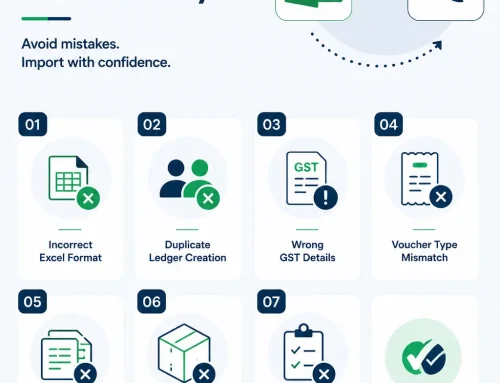
Large data volume is not the biggest issue. Poorly structured data is. Three years of Excel records often contain small inconsistencies that become visible only when the data is moved into a proper accounting system.
A Safer Process for Moving Excel Accounting History to Tally
- Define the migration objective: Decide whether the business needs audit history, operating continuity, clean current books, or management reporting.
- Collect all source files: Bring together sales, purchases, ledgers, inventory, GST records, expenses, bank data, and outstanding balances.
- Choose a migration scope: Decide between full history, current year plus opening balances, masters plus balances, or selective migration.
- Clean the Excel data: Standardize ledgers, dates, voucher types, item names, GST fields, and amount formats.
- Map fields to TallyPrime: Connect Excel columns to Tally ledgers, masters, vouchers, stock items, GST fields, and groups.
- Run a test import: Move a controlled sample first and review whether the output is correct.
- Reconcile after import: Compare balances, stock values, GST totals, receivables, payables, and reports against approved source records.
What Happens After the Data Is Imported?
This is where the real value appears. The goal is not simply moving information from Excel to Tally. The goal is gaining a system where the business can trust and use its numbers faster.
Instead of searching through multiple spreadsheets, businesses can access customer outstanding reports, vendor balances, inventory valuation, profitability reports, cash flow insights, GST reports, and management information from a centralized system.
Important: A migration is successful only when reports after import are usable. If the team still has to check Excel every time, the migration has not solved the real problem.
Have multiple Excel files across sales, purchases, inventory, and GST?
Before moving everything into TallyPrime, consolidate sources and define one approved version of truth for balances and transaction history.
Moving to Tally Does Not Mean Losing Historical Records
A common misconception is that moving to TallyPrime means abandoning old Excel records. That is not true. A properly planned migration keeps important history accessible while reducing the daily burden of managing multiple spreadsheets.
Sometimes the older Excel files remain archived for reference. Sometimes detailed historical transactions are imported. Sometimes summaries and opening balances are enough. The right answer depends on the business, not on a fixed rule.
Related Guides and Services
Excel ImportImport Excel data into TallyClean, map, import, and reconcile Excel-based accounting data.
Large FilesCan 15,000 rows be imported?Understand how high-volume Excel imports can be handled safely.
AutomationLive Tally integration vs Excel importsReview when repeated Excel imports should become automated sync.
Want to move Excel accounting history into Tally without carrying old errors forward?
Share your year-wise files, ledgers, GST records, inventory data, balances, and reporting needs. We can help you choose the right migration scope before the import begins.
Final Thoughts
If your business has three years of accounting data in Excel, you do not necessarily need to leave that history behind. In many cases, it can be migrated, structured, and organized inside TallyPrime.
But before importing everything, step back and ask what the business actually needs going forward. The best migrations are not the ones that move the most data. They are the ones that make the data easier to trust, easier to access, and more useful for future decisions.
Excel to Tally Historical Migration FAQs
Can three years of Excel accounting data be moved to Tally?
Yes. Three years of Excel data can often be moved to TallyPrime when ledgers, vouchers, GST fields, inventory, and balances are cleaned and mapped properly.
Should we import all historical data into Tally?
Not always. Full history is useful for detailed reporting or audits, but many businesses benefit from importing masters, opening balances, and current-year transactions.
What data can be migrated from Excel to Tally?
Customer ledgers, vendor ledgers, sales, purchases, expenses, inventory masters, GST records, opening balances, and outstanding balances can usually be migrated.
What causes migration errors?
Duplicate ledgers, inconsistent item names, missing GST details, incorrect opening balances, scattered files, and unsupported Excel formats are common causes.
Can old Excel files still be kept after moving to Tally?
Yes. Older Excel files can be archived for reference even if only selected data or summarized balances are moved into TallyPrime.
How do we verify that migration was successful?
After import, compare TallyPrime reports with approved Excel records for ledgers, stock, GST, receivables, payables, bank balances, and opening balances.