
Zoho CRM Tally Integration: How to Connect Zoho with TallyPrime
Zoho CRM Tally integration (often searched simply as "tally zoho" or "zoho tally integration") connects the sales data your team keeps in Zoho with the accounts you keep in TallyPrime. Customers, orders, invoices and payments then move between the two systems through a defined sync, instead of being typed in twice.
This guide explains what can sync, how the connection works, how to map Zoho fields to TallyPrime, and what to check and test before you switch it on.
What Zoho CRM Tally Integration Means
Zoho CRM usually holds leads, deals, customers and sales orders. Zoho Books or Zoho Inventory may hold invoices and stock. TallyPrime holds the ledgers, GST, inventory and financial reports. An integration moves agreed records from one system to the other on a schedule or when an event happens, such as a deal being marked won.
The aim is simple: one entry, fewer typing mistakes, and sales and accounts working from the same customer and invoice data.
What Can Sync Between Zoho and TallyPrime
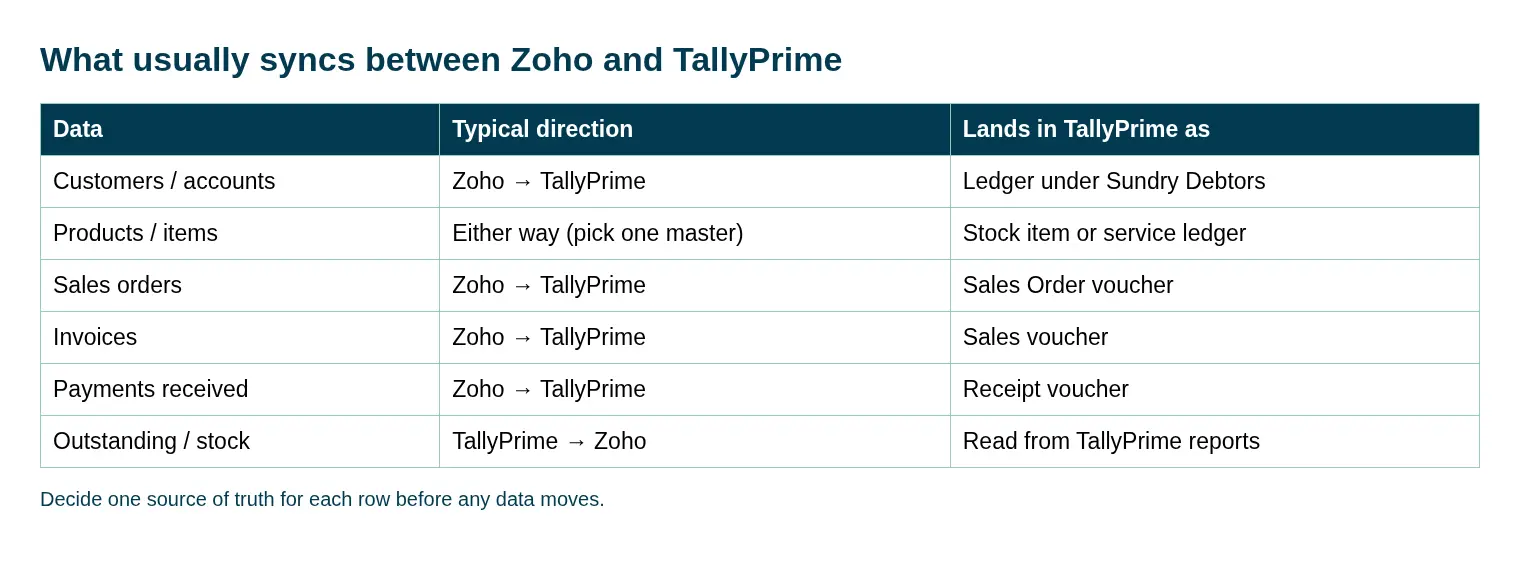
- Masters: customers become ledgers; products become stock items or service ledgers.
- Vouchers: sales orders, sales invoices, credit notes and receipts.
- Tally to Zoho Books: when Zoho Books is used for billing or reporting, ledgers, outstanding or stock can be sent from TallyPrime to Zoho Books instead. Decide which of the two keeps the books of record.
- Status back to Zoho: outstanding amounts, payment status or stock, read from TallyPrime.
One-Way vs Two-Way Sync
One-way means data moves in one direction only, usually Zoho to TallyPrime for invoices and payments. It is simpler to build and test, and accounts stay in control of what posts.
Two-way adds data flowing back, such as outstanding balances or stock from TallyPrime to Zoho. It needs clear rules on which system owns each field, so the same customer or item is not edited in both places and overwritten.
A common start is one-way for transactions plus a read-only status update back to Zoho.
How to Connect Zoho to Tally: API, JSON and XML
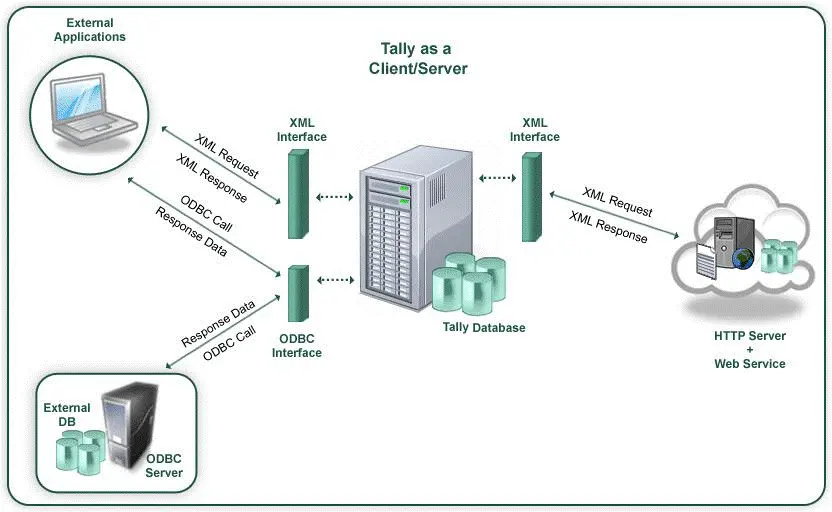
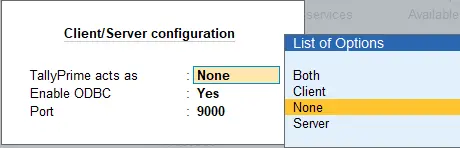
Zoho apps offer REST APIs that send and receive data as JSON. TallyPrime is usually integrated through XML requests over HTTP, ODBC for reading data, or custom TDL. So the integration layer reads JSON from Zoho, applies your mapping and rules, and sends XML that TallyPrime can post as masters or vouchers.
- Custom integration: fits custom fields, approval rules and your own ledger logic.
- Ready Zoho to Tally connector or middleware: can work for standard flows; check that it handles your GST ledgers, voucher types and exceptions.
- Hybrid: routine records sync on their own; unusual ones wait for a person to approve.
Choose the method after you decide the source of truth, the fields and the rules, not before. If you need it built around your process, see our custom Tally integration service.
Field Mapping: Zoho to TallyPrime
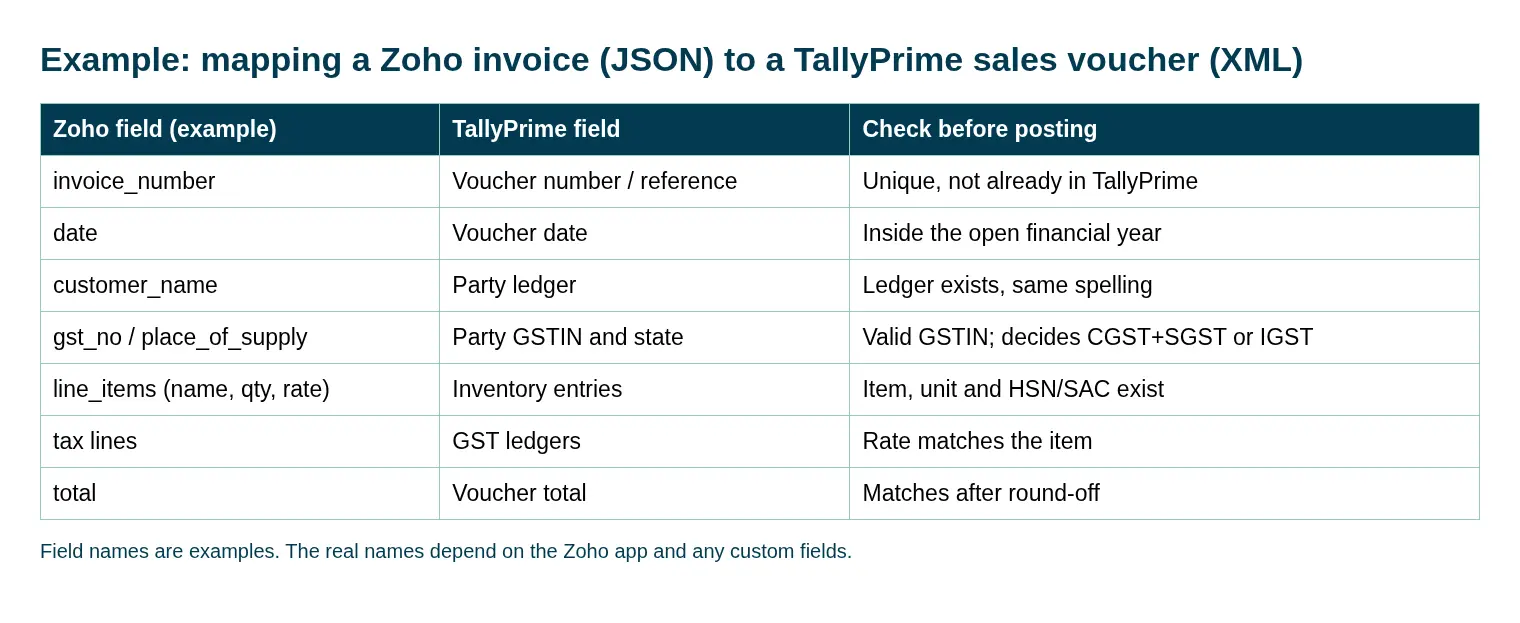
- Customer names, GSTIN, state and address must match the TallyPrime ledger.
- Item names, units, HSN/SAC and GST rate must match the stock item.
- Each Zoho tax line needs a matching GST ledger (CGST, SGST or IGST).
- Discounts, freight and round-off need their own ledgers and rules.
- Each Zoho document type needs a matching voucher type, for example invoice to Sales and payment to Receipt.
Validation and GST Checks
- Block a record if the customer, item, GST ledger or GSTIN is missing.
- Do not create a new ledger when the customer already exists with a slightly different spelling.
- Use place of supply to decide CGST + SGST or IGST.
- Check that the voucher total equals the Zoho total after round-off.
- Keep a log that shows which record failed and what to fix.
Security and Access
Keep API credentials in the integration layer, not in spreadsheets or emails. Limit who can change the mapping, trigger a sync or export accounting data. If TallyPrime is on a server or on cloud, open only the access the integration needs. For hosted setups, see Tally Integration with Web Applications (ERP, CRM, Billing, Ecom Etc.).
Testing and Rollout
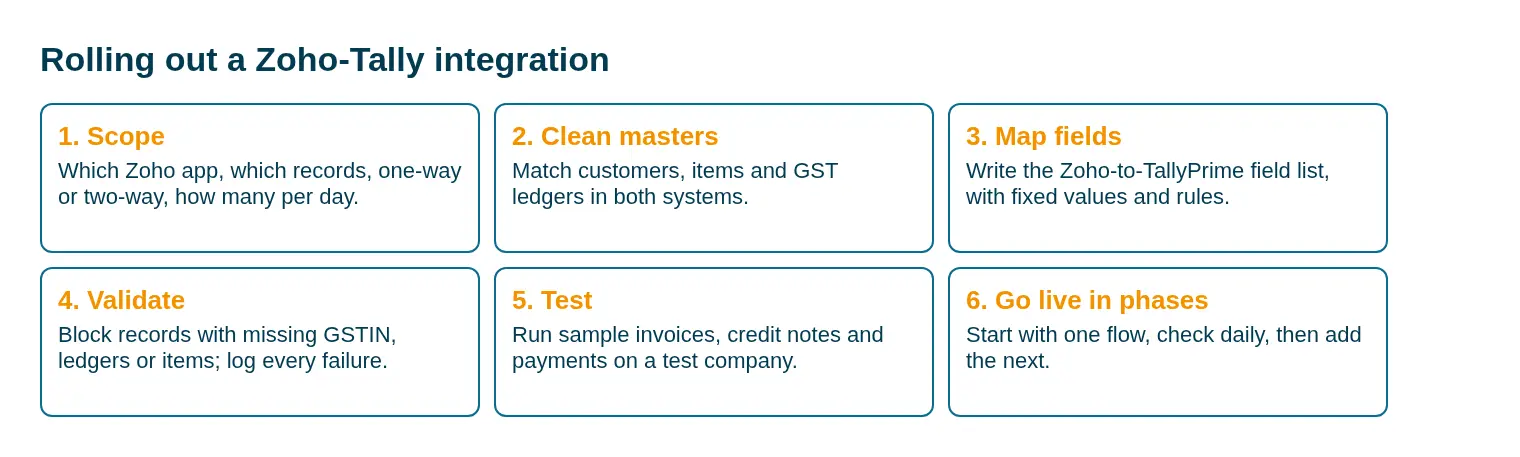
Test on a copy of the company with real cases: a new customer, an existing customer with a small name difference, an inter-state invoice, a credit note, a part payment and a cancelled invoice. Go live with one flow first and check the log every day for the first weeks.
What Decides Scope and Cost
- Which Zoho apps are involved (CRM, Books, Inventory, Creator).
- Number of records and how often they sync.
- One-way or two-way.
- Custom fields, approval rules and GST cases.
- Where TallyPrime runs: a single PC, a server or cloud.
- Ongoing support when either system changes.
We quote after reviewing these points, so the estimate matches your flow. For other systems you can connect, read Top 10 Applications You Can Integrate with Tally Using APIs.
Conclusion
A Zoho-Tally integration works when the source of truth, the field mapping and the checks are agreed before any data moves. Start with one flow, test it on a copy, and expand once it runs cleanly.
You can connect with us on . Say Hi
FAQs on Zoho CRM Tally Integration
1. Can Zoho CRM be integrated with TallyPrime?
Yes. Zoho CRM data such as customers, orders, invoices and payments can be connected with TallyPrime through an integration that maps Zoho fields to TallyPrime ledgers and vouchers.
2. Can Zoho Books sync with TallyPrime?
Yes, through an integration that reads Zoho Books data by API and posts it to TallyPrime. Decide first which system keeps the books of record, so entries are not posted twice.
3. Is a two-way sync needed?
Not always. Many businesses start with one-way sync from Zoho to TallyPrime and send only outstanding or stock status back to Zoho.
4. What format does the data move in?
Zoho APIs use JSON. TallyPrime integrations commonly use XML over HTTP, so the integration converts and maps the data in between.
5. What should be checked before go-live?
Source of truth, field mapping, duplicate rules, GSTIN and GST ledgers, voucher types, user access, sync frequency and the error log.
6. What is a Zoho to Tally connector?
It is the integration layer, ready-made or custom, that reads data from Zoho through its API, maps it to TallyPrime ledgers and vouchers, and posts it as XML. Check that any ready connector handles your GST ledgers, voucher types and exceptions.
7. Can data go from Tally to Zoho Books?
Yes. An integration can read ledgers, outstanding or stock from TallyPrime and send it to Zoho Books. Agree which system owns each record, so the same entry is not posted in both.
Continue Reading
Get a personal consultation.
Call us today at
Want our TallyPrime tips in Google first? Add us as a preferred source.

