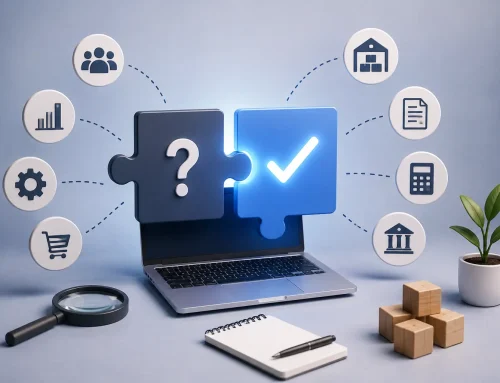
TallyPrime API integration use cases
Your business apps should not keep Tally waiting for manual entries.
CRM, e-commerce, POS, payroll, WMS, ERP, BI tools, payment gateways, mobile apps, and custom portals can be connected with TallyPrime so accounting data moves faster and with fewer errors.
Quick Answer: Which Applications Can Be Integrated with Tally Using APIs?
TallyPrime can be integrated with CRM software, e-commerce platforms, warehouse systems, ERP tools, payroll and HRMS software, POS systems, banking and payment gateways, BI tools, mobile apps, and custom business applications. The best integration depends on where your business data currently starts and where accounting accuracy is being delayed.
The goal is simple: reduce repeated entry, prevent mismatched records, and keep TallyPrime updated with reliable business data.
Businesses today rarely suffer because they lack data. They suffer because the data is scattered.
Your sales team may work in a CRM, your warehouse may use inventory software, your HR team may use a payroll platform, and your finance team may maintain accounting in TallyPrime. When these systems do not talk to each other, the same information gets entered multiple times.
Tally API integration helps these systems exchange data automatically, so teams spend less time copying information and more time using it.
Top 10 Applications You Can Integrate with Tally Using APIs
The right integration depends on your business model, transaction volume, data quality, and reporting needs. These are ten of the most valuable application categories businesses connect with TallyPrime.
1. CRM Software
CRM tools such as Zoho CRM, Salesforce, HubSpot, or custom sales CRMs can be connected with TallyPrime so sales and finance teams stay aligned.
When a deal is confirmed or a sales order is approved, customer information, order details, and invoice data can flow into Tally without repeated entry.
- No duplicate customer records.
- Faster invoice creation.
- Better visibility between sales and accounts.
- Lower risk of manual entry errors.
2. E-Commerce Platforms
If you sell through Shopify, WooCommerce, Magento, marketplaces, or a custom website, manual order updates can become a bottleneck very quickly.
With Tally API integration, online orders can create sales entries, inventory can update, payment data can sync, and finance can stay closer to real-time sales activity.
3. Warehouse Management Systems and ERP Solutions
Warehouse Management Systems help manufacturers, distributors, and wholesalers control stock movements, receipts, dispatches, and warehouse-level inventory. ERP systems often manage operations while TallyPrime remains the accounting backbone.
API integration can connect operational transactions with TallyPrime so purchase orders, sales, inventory movement, and accounting entries do not need to be recreated manually.
Are orders, invoices, stock, or payments being copied into Tally manually?
Review whether CRM, e-commerce, POS, WMS, or payment gateway data can move into TallyPrime through a controlled API integration.
4. Payroll, POS, Banking, and Payment Gateway Systems
Payroll and HRMS software can pass salary journals, reimbursements, deductions, and statutory entries into TallyPrime. POS systems can sync daily sales, returns, collections, and inventory updates from retail stores.
Banking and payment gateway integrations can support payment updates, receipt entries, and reconciliation workflows. These integrations are especially useful when transaction volume is high and manual matching consumes finance time every day.
5. BI Tools, Mobile Apps, and Custom Business Applications
BI tools such as Power BI and Tableau become more useful when they receive reliable Tally data. Mobile applications used by field sales or service teams can send orders, collections, customer updates, and stock requests back to TallyPrime.
Custom applications such as distributor portals, dealer systems, manufacturing tools, logistics platforms, and customer portals can also be integrated with Tally APIs when the workflow is clearly defined.
Tally API Integration Application Comparison
| Application type | Common data flow | Business benefit |
|---|---|---|
| CRM software | Customers, sales orders, invoices, collections, and account status. | Sales and accounts stay aligned. |
| E-commerce platforms | Orders, customers, payments, inventory updates, and sales entries. | Less manual order posting and fewer stock mismatches. |
| Warehouse systems | Goods receipt, dispatch, stock transfer, batches, and balances. | Cleaner inventory control. |
| ERP software | Purchase, sales, inventory, operations, and finance entries. | Operations continue in ERP while Tally receives accounting data. |
| Payroll and HRMS | Salary journals, reimbursements, deductions, and statutory data. | Month-end payroll posting becomes faster. |
| POS systems | Retail sales, returns, collections, and stock updates. | Store transactions reach finance without end-of-day manual entry. |
| Payment gateways and banking | Receipts, settlement details, payment status, and reconciliation data. | Better payment visibility and faster reconciliation. |
| BI tools | Revenue, profitability, receivables, inventory value, and performance metrics. | Decision-makers get updated dashboards. |
| Mobile apps | Orders, collections, visits, customer updates, and stock requests. | Field teams and finance work from connected data. |
| Custom applications | Workflow-specific data from portals, manufacturing, logistics, or dealer systems. | Technology adapts to the business process. |
What to Plan Before Integrating Any Application with Tally
The best API integrations are planned around business rules, not just technical connectivity. Before connecting any application to TallyPrime, define what data should move, when it should move, and how errors should be handled.
- Choose the source of truth: Decide whether customer, item, price, tax, and inventory data should be controlled in Tally or the external system.
- Map fields carefully: Align ledgers, stock items, tax classifications, voucher types, cost centers, and references.
- Define sync direction: Decide whether data flows into Tally, out of Tally, or both ways.
- Handle duplicates: Create rules for matching customers, vendors, items, and transactions.
- Validate before posting: Use checks for missing GST fields, invalid ledgers, wrong dates, and incomplete vouchers.
- Test with real scenarios: Run sample orders, returns, payments, cancellations, and corrections before going live.
Not sure which app should connect with Tally first?
Start with the system creating the most repeated entry, reporting delay, or mismatch. That is usually where API integration delivers the fastest operational value.
Common Mistakes to Avoid in Tally API Integration
| Mistake | Why it creates problems | Better approach |
|---|---|---|
| Connecting systems before cleaning masters | Duplicate customers, items, and ledgers move faster into Tally. | Clean and map master data first. |
| Ignoring GST and voucher rules | Entries may sync but reports become unreliable. | Validate tax fields, voucher types, and accounting rules. |
| No error handling process | Failed syncs go unnoticed until reports mismatch. | Use logs, alerts, and retry rules. |
| Trying to integrate everything at once | Scope becomes unclear and testing becomes weak. | Start with high-value workflows and expand in phases. |
Related Guides and Services
PlanningCommon Tally API integration challengesUnderstand mapping, validation, sync, and error-handling issues before development.
AutomationHow Tally Experts delivers API integrationReview the approach used for TallyPrime automation projects.
Live DataReal-time Tally integration vs Excel importsSee when live sync is better than recurring spreadsheet uploads.
Want your business apps to send clean data into TallyPrime?
Share the application you use, data volume, voucher flow, GST rules, inventory structure, and reporting goal. We can help plan a controlled Tally API integration.
Final Thoughts
Your software should not operate in isolation. Whether you use CRM, ERP, e-commerce, POS, HRMS, payment gateways, BI tools, mobile apps, or a custom platform, Tally API integration can create a connected system where information flows automatically instead of manually.
The right integration improves efficiency, reduces errors, saves time, and gives the business a stronger data foundation for growth.
Tally API Integration FAQs
Which applications can be integrated with TallyPrime?
TallyPrime can be integrated with CRM, e-commerce, WMS, ERP, payroll, POS, banking, payment gateways, BI tools, mobile apps, and custom applications.
Can Tally integrate with websites and e-commerce platforms?
Yes. Orders, customer details, payments, invoices, and stock updates from websites or e-commerce platforms can be connected with TallyPrime.
Can CRM data be synced with Tally?
Yes. Customer data, sales orders, invoices, collections, and account status can be synced between CRM software and TallyPrime based on the workflow.
Is Tally API integration useful for POS systems?
Yes. POS integration can automate daily sales, returns, collections, and inventory updates from retail stores into TallyPrime.
What should be checked before API integration?
Check master data quality, voucher mapping, GST rules, sync direction, duplicate handling, error logs, data volume, and testing scenarios.
Can custom business apps integrate with Tally?
Yes. Distributor portals, manufacturing systems, logistics platforms, dealer systems, and customer portals can be connected with TallyPrime when data flow is clearly defined.