

TallyPrime Gold Multi-User Setup for Growing Teams.
Set up TallyPrime Gold for licensed multi-user work, shared data access, user-wise permissions, backup readiness, and smoother coordination between accounts, operations, branches, and management teams.
- User-count and license review
- Multi-user access planning
- Security and backup checks
- Post-go‑live support
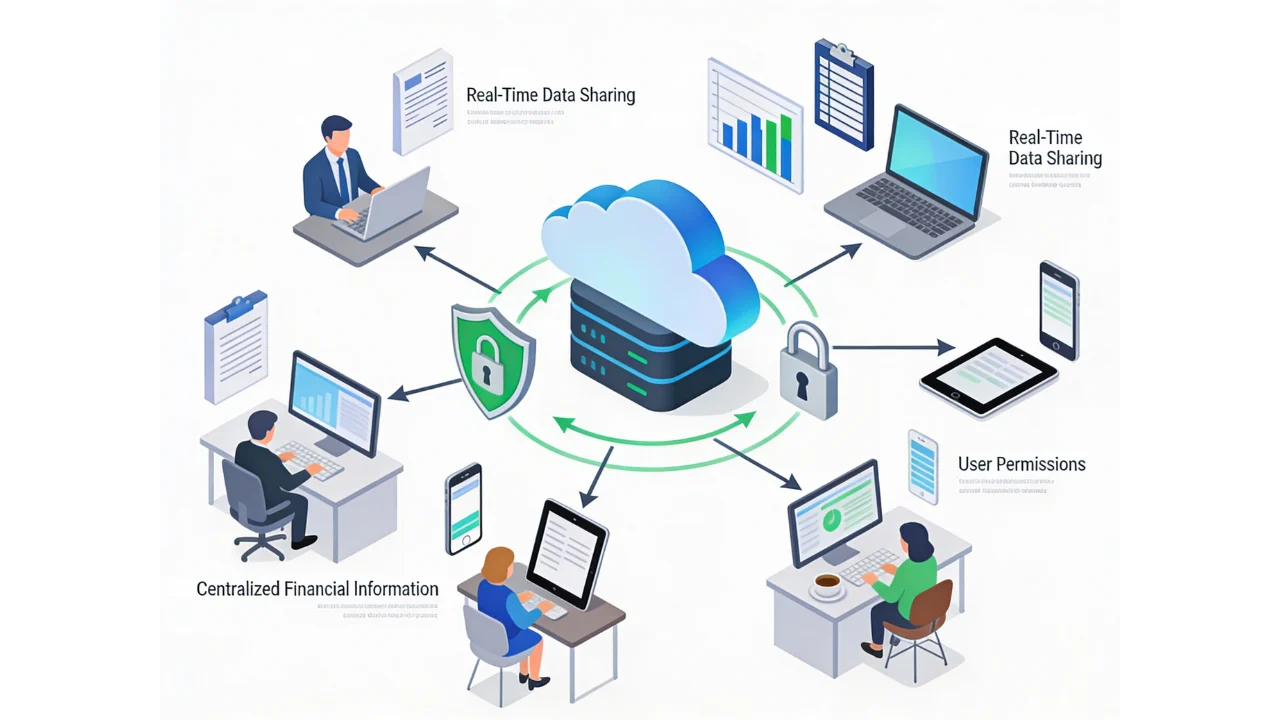
When single-user Tally starts slowing the team.
A growing business may need more than one person working on accounting, billing, inventory, reporting, and review tasks. The setup should protect data while giving the right people access at the right time.
Teams wait for access
Entries, invoices, payments, and reports get delayed when only one person can work at a time.
Shared files become risky
Company data needs controlled access, backup discipline, and a clear way of working across users.
Branch coordination is slow
Remote teams, branches, owners, and accountants may need timely visibility without repeated file transfers.
User permissions are unclear
Different roles need different access levels for vouchers, ledgers, inventory, reports, and audit visibility.
What can a TallyPrime Gold setup include?
The exact scope depends on your licensed environment, number of users, data size, office setup, remote access needs, and existing TDLs or add-ons.
User and license review
Confirm how many people need access, where they work from, and whether the current license and setup match the requirement.
Shared company data access
Plan company data location, access flow, local network dependency, and operational readiness for multiple users.
User roles and security
Review access levels for vouchers, masters, inventory, reports, approvals, printing, exports, and sensitive business data.
Backup and continuity checks
Set expectations for backup routines, data safety, restoration planning, and day-to-day continuity.
Remote access coordination
When remote users or branches are involved, we map whether cloud, server, or other access planning is required.
Report visibility
Align who can view branch-wise, user-wise, inventory, outstanding, and management reports after setup.
TDL and add-on review
Check whether existing customizations, reports, invoice formats, utilities, or integrations need specific handling.
Go-live support
Guide the transition, validate working access, answer team queries, and support early post-implementation adjustments.
A reliable multi-user setup starts with three checks.
Before moving users into a shared TallyPrime Gold working environment, the access model should be planned around actual business usage.
Users and locations
Define simultaneous users, departments, branches, remote teams, device expectations, and accountant access.
Data and workload
Review company data size, transaction volume, reporting activity, backup location, and custom TDL dependencies.
Access and controls
Agree user permissions, sensitive reports, export rights, approval responsibilities, and ongoing support coverage.

Where multi-user TallyPrime helps most?
Accounts and billing teams
Support parallel work across sales invoices, purchase entries, receipts, payments, ledgers, and day-to-day review.
Branch and location-based businesses
Improve coordination for teams that need shared accounting visibility from more than one office or operating location.
Owners, managers, and auditors
Give reviewers access to the right reports without disturbing the team working on daily transactions.
How a TallyPrime Gold multi-user setup works.
The process is designed to clarify access needs early, reduce avoidable disruption, and support the team after go‑live.
Requirement review
Confirm users, locations, current license, company data, working style, TDLs, and support expectations.
Environment check
Review the current system, data location, backup process, remote access needs, and dependency risks.
Access planning
Map user roles, permissions, report visibility, export rights, and practical operating responsibilities.
Setup and validation
Configure the approved setup, validate login access, test sample workflows, and check common user scenarios.
Handover and support
Guide users, document agreed points, resolve early issues, and support scoped post-go-live queries.
Multi-user outcomes businesses usually need.
The goal is not just more logins. The goal is coordinated work, safer access, and fewer delays in accounting operations.
Fewer access bottlenecks
Multiple licensed users can work with a clearer operating flow instead of waiting for one machine or one file.
Better team coordination
Accounts, billing, inventory, management, branch, and review teams can work around a more structured access plan.
Safer shared data use
Permissions, backup expectations, and support routines help reduce operational risk when more people use TallyPrime.
Helpful pages for multi-user planning.
TallyPrime Gold multi-user FAQs.
What is TallyPrime Gold?
TallyPrime Gold is commonly used by businesses that need licensed multi-user access to TallyPrime from a shared working environment. The final setup depends on the license, system environment, data location, and access requirements.
How is TallyPrime Gold different from Silver?
TallyPrime Silver is generally used for single-user work, while Gold is intended for licensed multi-user usage. We review your current setup before recommending the right path.
How many users can work in TallyPrime Gold?
Multi-user usage depends on the licensed setup, infrastructure, data size, and working pattern. We avoid promising a fixed outcome until the environment and user load are reviewed.
Can TallyPrime Gold work across branches?
Branch access may require additional planning around cloud access, server setup, remote access, data synchronization, user controls, and backup routines.
Do I need Tally on Cloud for remote access?
Not always. Cloud is useful when teams need authorized access from multiple locations, but the right setup depends on users, performance needs, data security, and business workflow.
Can user-wise access be controlled?
Yes. User-wise permissions can be planned for vouchers, masters, reports, exports, approvals, and sensitive information depending on your business controls.
Can existing Tally data be moved into a multi-user setup?
Existing company data can usually be reviewed and moved into an approved environment, with checks for backups, version readiness, TDLs, add-ons, and access validation.
Do you provide support after setup?
Yes. We can support scoped post-go-live queries, access issues, user guidance, refinements, and practical operational concerns after implementation.
Need TallyPrime Gold to support your whole team?
Share your user count, locations, current setup, and access requirements. We will review the practical setup path before implementation.
